Live Editor

페이지에서 직접 번역 수정

The Live Editor opens on your own website. You see exactly what your visitors see, and you change it in place.

미리보기

A website with the prompt "Edit translations on this page?" and an Open editor button
Invited proofreaders open the editor right on the page
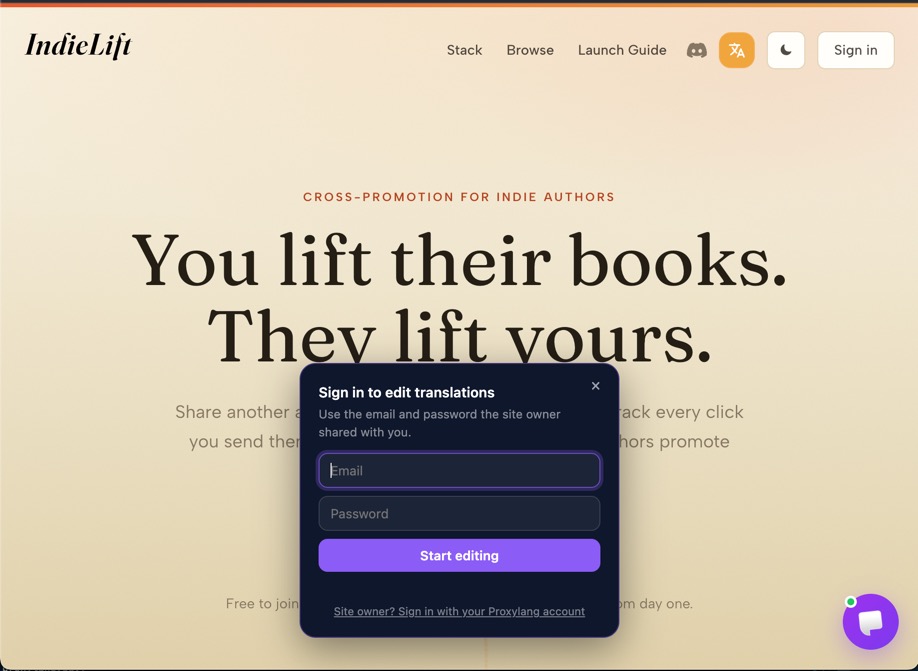
The "Sign in to edit translations" panel over the website
They sign in with the email and password the site owner shared, and nothing else
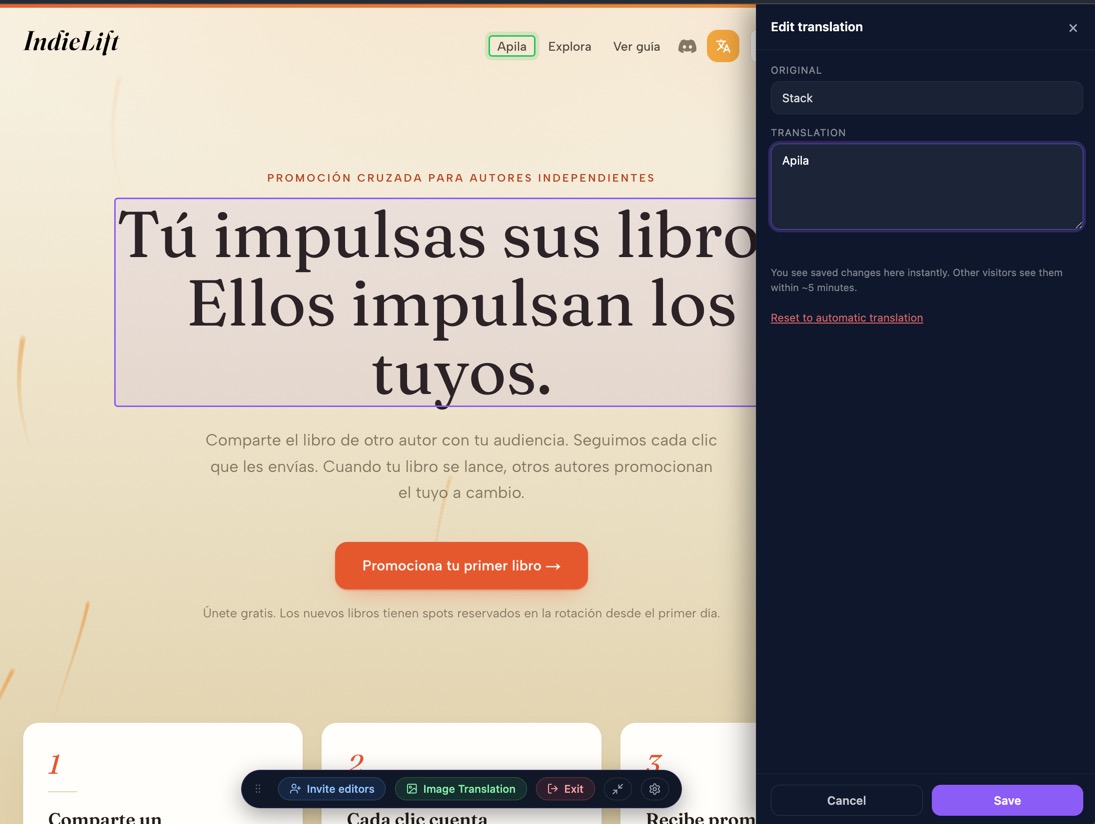
The editor sidebar showing the original English text and its Spanish translation being edited
Click a sentence, type the better wording, save
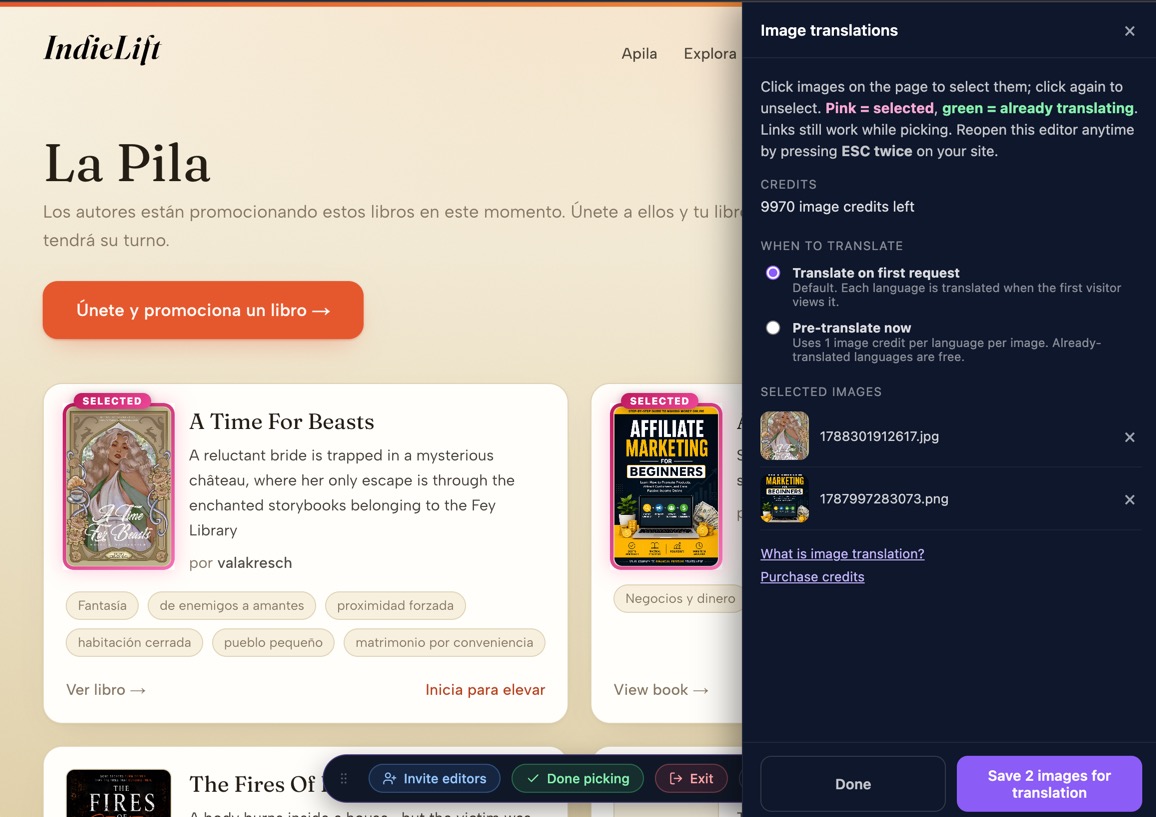
The image translations panel with two selected book covers, the credit balance, and translation timing options
Image Translation mode: pick images on the page and choose when they are translated
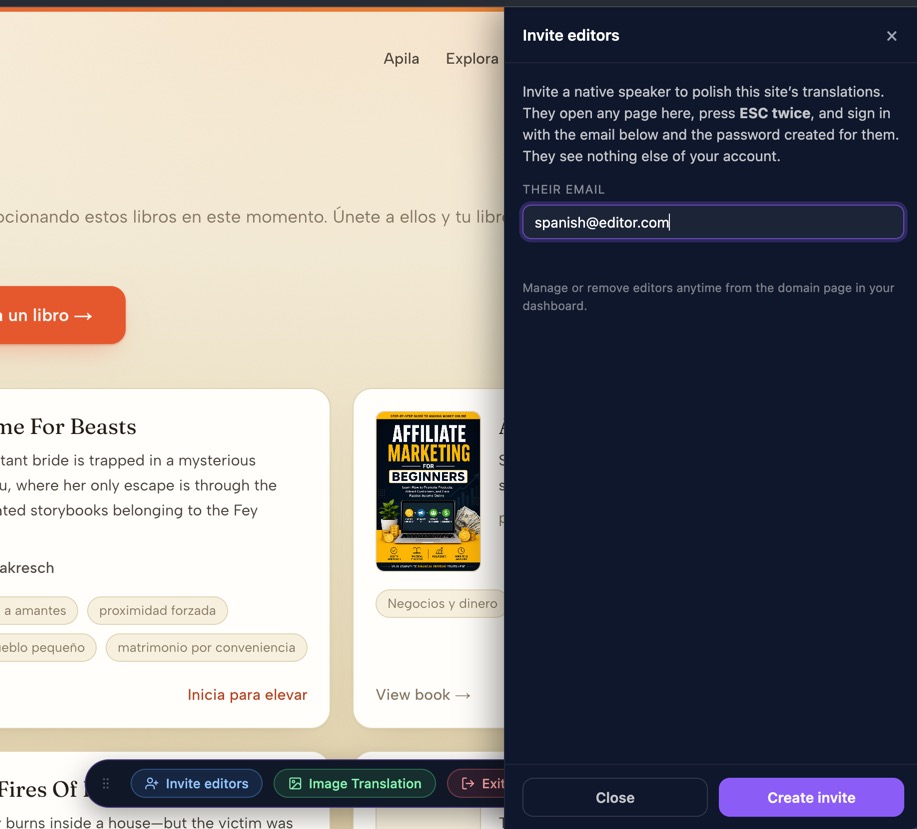
The Invite editors panel inside the Live Editor
Invite editors by email, right from the editor

Try it on your own website